Set your brand voice
Teach your AI agent to write like your best CX rep — tone, formality, and the words it should never use — in about five minutes.
Overview
Your agent's brand voice is how every message it sends sounds — the difference between "Hey! 👋 Still thinking it over?" and "Your cart is awaiting checkout." Helio learns a starting voice from your store automatically, but the five minutes you spend tuning it here is the single highest-leverage thing you can do for reply quality.
By the end of this guide you'll have a saved voice profile that applies across WhatsApp, Instagram, email, and your website chat.
Open the voice editor
From the dashboard, go to Settings → Brand voice. You'll see three sliders and a live preview that re-renders as you drag them.
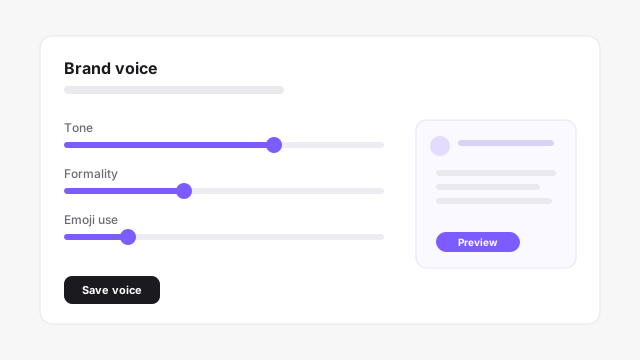
Changes here are non-destructive — Helio keeps the previous voice for 7 days, so you can always revert if a new setting underperforms.
Tune the three sliders
Each slider maps to a concrete dimension of the generated copy:
| Slider | Low end | High end |
|---|---|---|
Tone | Neutral, transactional | Warm, friendly |
Formality | Casual, contractions | Formal, full sentences |
Emoji use | None | Liberal |
Start conservative. Most stores land around 60% tone, 35% formality, and low emoji use — friendly but not performative.
Add words to avoid
Under Guardrails → Banned phrases, list anything the agent must never say — competitor names, promises you can't keep, or off-brand slang. Helio enforces these as hard constraints, not suggestions.
{
  "banned_phrases": ["cheapest", "guaranteed", "limited time only"],
  "always_capitalize": ["Helio", "WhatsApp"],
  "max_emoji_per_message": 1
}
Verify with a test message
Hit Preview with a sample scenario (e.g. "customer asks if a product is back in stock") and read the generated reply out loud. If it sounds like your team on a good day, you're done. If not, nudge a slider and preview again.
Next steps
- Install Helio on Shopify if you haven't connected a store yet
- A/B test your first campaign to measure how voice changes affect replies
- Core concepts — how voice fits into Agents, Channels, and Playbooks